Running app · iPhone & Android
Pacecast
See your PR before you run it.

Pacecast is a race time calculator for iPhone and Android. Forecast your finish time today and 12 weeks ahead using your real runs, Apple Health, or Strava.
Use a recent race or hard training run to see the time you could run today and your predicted time 12 weeks from now. Pacecast combines Riegel’s race-prediction formula with a realistic weekly-gains curve. Forecasts are estimates, not guarantees, and assume consistent, healthy training.
A closer look
See Pacecast in action
iPhone screenshots and previews from our App Store listing. Select an image to view it larger.
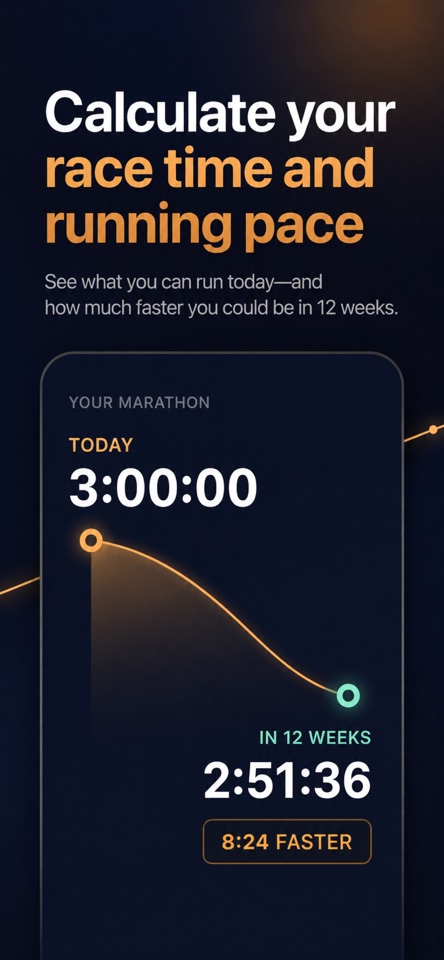
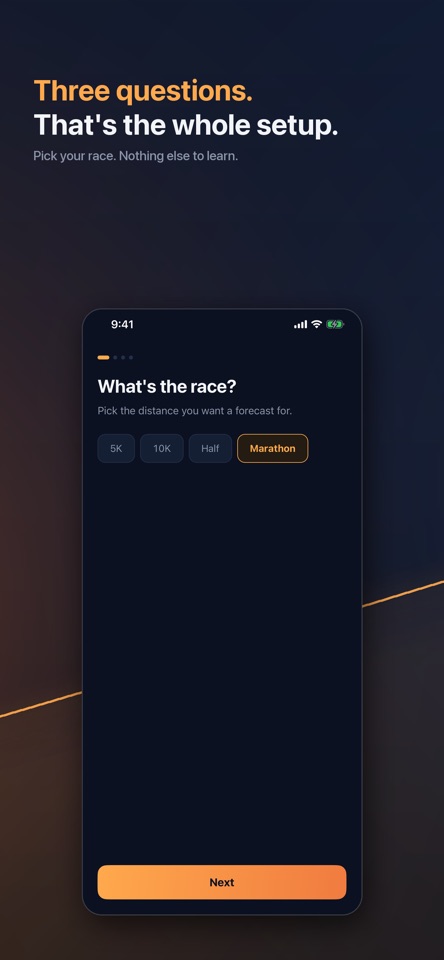
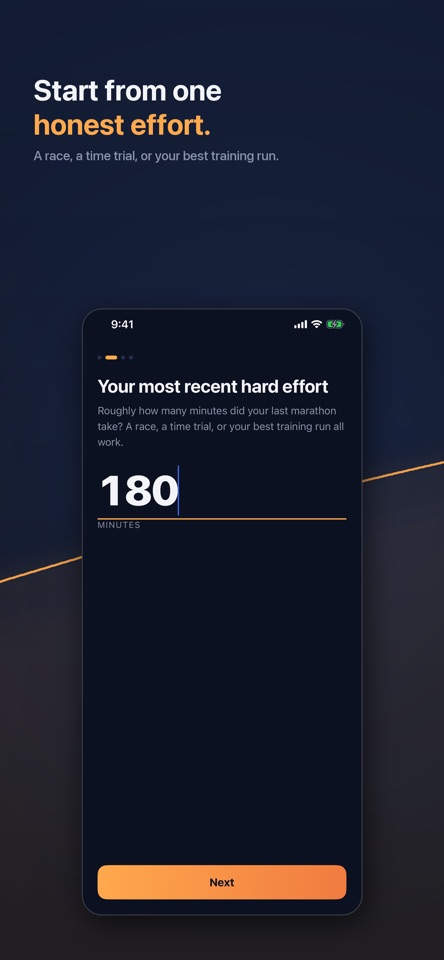
A forecast built on your real runs
Enter your running information yourself, or sync your real mileage with Apple Health on iPhone or Health Connect on Android. Pacecast shows which anchor run your forecast uses and lets you choose a different one.
The Reveal counts down from today’s predicted finish time to your 12-week forecast. Choose miles or kilometers and keep the numbers in focus with a dark interface.
Plan your next 5K, 10K, half marathon, or marathon
Pacecast Pro unlocks every race distance, week-by-week target times for all 12 weeks, and what-if scenarios. Change your weekly mileage to explore how your forecast could change before you run the extra miles.
Connect Strava with Pro to keep your forecast current from your actual training. A Monday morning forecast notification shows how your predicted time changed.
Good questions
Pacecast FAQs
- How does Pacecast calculate a race forecast?
- Pacecast starts with a recent race or hard training effort and your weekly mileage. It combines Riegel’s race-prediction formula with a weekly-gains curve to estimate your finish time today and 12 weeks ahead. It shows the anchor run behind the forecast so you can review or change that starting point.
- Which run should I use as my starting point?
- Use a recent race, time trial, or hard training effort that reflects your current fitness. An easy jog entered as a race effort can produce a misleading baseline. Check both the run time and weekly mileage if a prediction looks too fast or too slow.
- Do I have to connect Apple Health or Strava?
- No. You can enter your running information yourself. Apple Health on iPhone and Health Connect on Android provide optional mileage syncing. Strava syncing is available with Pacecast Pro.
- What can I try for free, and what does Pro add?
- Complete onboarding to see your full forecast and final predicted time at no cost. Pacecast Pro unlocks the week-by-week curve and target times, every race distance, what-if mileage scenarios, and automatic updates. Check your store listing for current subscription options.
- Which distances and units does Pacecast support?
- Pacecast supports 5K, 10K, half marathon, and marathon goals, with all race distances unlocked by Pro. You can use miles or kilometers.
- Is my predicted finish time guaranteed?
- No. A forecast is an estimate based on the information you provide and assumptions about consistent training. It is not a guaranteed race result. The example times in the App Store artwork illustrate the product, not a result every runner should expect.
Subscriptions are managed through your App Store or Google Play account. See the Pacecast support page for subscription management, syncing, and account deletion.
Download Pacecast
Available for iPhone on the App Store and Android on Google Play.


Powered by Strava